Core Rhythm Mechanics
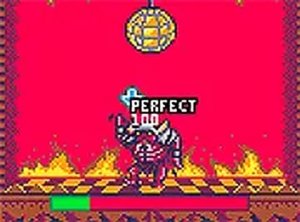
Campus Dance Rhythm Game is built around one repeated action: matching on-screen arrow prompts to the beat. Each prompt must be pressed exactly when it aligns with the music. A correct press adds to the score and keeps the character dancing. A missed step or wrong key reduces a health bar. When that bar empties, the run ends. There is no combat, no story branching, and no resource management beyond the health bar, which makes the game purely about timing and coordination.
Controls and Platform Support
On desktop, the arrow keys handle all input. On mobile, touch controls replace the keyboard, so the same prompts are tapped directly on the screen. A full screen mode is available on both platforms and removes browser interface elements for a less distracting view. The game runs directly in a web browser with no download required, which means it works on most desktop and mobile devices without installation.
Characters and Visual Theme
Before each dance challenge, players select a character from the available options. The setting is a cheerful college campus, and the overall tone is lighthearted rather than competitive or aggressive. The visual style supports the playful theme, and the game contains no violent or inappropriate content, making it suitable for all ages.
Difficulty Progression and Scoring
The challenge increases as the beat speeds up. Faster sections mean less time to read prompts and react, so the game tests focus and reaction speed alongside rhythm accuracy. Score accumulates through correct presses, while the health bar acts as a failure condition rather than a timer. Players who want higher scores need to survive longer and hit more prompts cleanly, which naturally pushes them toward consistent practice.
Practical Tips for Better Runs
Timing improves with repetition, so regular short sessions tend to help more than occasional long ones. Anticipating the next prompt rather than reacting to it after it appears makes faster sections manageable. Staying relaxed matters because tension slows reflexes. Full screen mode reduces visual distractions, and on mobile, light and precise taps keep touch controls responsive. These habits help players handle the speed increases that define later progress.









Editorial Notes